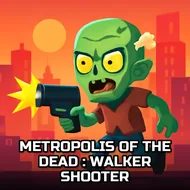
Metropolis Of The Dead : Walker Shooter
Instructions:
Keyboard Touch ControlDescription
Metropolis Of The Dead : Walker Shooter Review
The city's gone quiet except for the shuffling and the groaning, and that's your cue. Metropolis Of The Dead drops you into a sprawling urban map crawling with the undead, and the whole point is simple on paper: shoot first, keep moving, don't get surrounded. It runs right in the browser, no fuss, which honestly makes it easy to jump into for a quick round when you've got ten minutes to kill. The setting leans hard into that "end of civilization" vibe, empty streets, abandoned buildings, walkers pouring out from every alley. It's not trying to reinvent the zombie shooter wheel, but it executes the basics with enough grit to keep you clicking.
How To Play
- Move your character through the city streets using the keyboard.
- Aim and fire at approaching zombies before they close the distance.
- Works with touch controls too, so tapping and dragging on mobile screens gets the job done.
- Watch your surroundings constantly, since walkers spawn from multiple directions at once.
- Manage your shots carefully, because ammo and timing matter more than button-mashing.
Winning Strategies
- Keep your back to a wall whenever possible so zombies can't flank you from behind.
- Prioritize the closest threats first rather than picking off distant ones and letting the nearby horde swarm you.
- Don't stand still for too long, movement is what keeps you alive when the map gets crowded.
- Learn the layout of each area early on, chokepoints and open streets play very differently.
- Pace your shooting rather than firing wildly, a missed shot at close range can cost you the round.
- Stay calm when the numbers spike, panic-firing usually leads to getting boxed in faster than anything else.