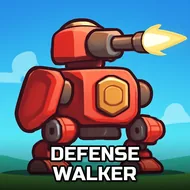
Defense Walker
Instructions:
Control the touches on the screen no keysDescription
Defense Walker Free Arcade Experience
Controller & Keyboard Guide
- Tap directly on the screen to aim and fire at approaching zombies.
- Rapid, repeated taps help clear a dense cluster of zombies quickly.
- Prioritize tapping on the closest threats first to prevent them from overwhelming your position.
- Watch the edges of the screen closely, since zombies can approach from multiple directions.
- Pace your tapping rhythm to conserve energy during a longer survival stretch.
Standout Features
- A pure touch-based control scheme that keeps the action accessible on any device.
- An escalating zombie tsunami that tests how long you can hold your ground.
- A farm-like setting that adds a slightly unsettling, oddly specific twist to the usual zombie premise.
- Big guns and steady upgrades that give a real sense of growing stronger over a session.
- A straightforward survival structure with no unnecessary menus getting in the way of the action.
The sheer number of zombies pouring in gives this one a relentless, almost comedic intensity, since the moment you start to feel in control, another wave arrives to test that confidence all over again, keeping even a short session feeling appropriately hectic from start to finish. Restarting quickly after a wave finally breaks through keeps momentum going, since the appeal of a format like this one comes from repeated short attempts at pushing your survival time a little further than the last one. That relentless pacing also means there is rarely a dull moment, since the game never really lets you settle into a comfortable rhythm for very long before throwing another wave your way.